
Handy when you are on the sofa with the remote in hand. Send a photo of the screen, get a short reply, change one thing, report back.
Contact
Contact IPTV Subscription UK 4K: write on WhatsApp or by email, day or night
Messages to IPTV Subscription UK 4K go to one English-speaking team, on WhatsApp or at [email protected], 24/7. It makes no difference whether you have not ordered yet, are stuck on step five of a setup, are leaving a pay-TV contract or have an end date coming up.
Get in touch
WhatsApp, email, or straight to a plan
By email
Handy when you want a dated record, say for a refund, a receipt or an end date. Write to [email protected].
Ordering
To order, start from the plan you want rather than from this page: its Buy button opens a WhatsApp chat with the plan and price written in.
First message
What to send, depending on the question
| Your message is about | Include |
|---|---|
| Choosing a plan | The TV or stick by brand and model, an evening speed reading from it, and the number of TVs that might be on together |
| An order you placed | Which Flex plan, roughly when you paid, and the number or address you ordered from |
| Login refused | Device, player app, the exact error (photograph it) and the username shown in your login message |
| Switching from a contract | The month your contract’s minimum term finishes, the number of TVs and the boxes or sticks attached to them |
| A refund | When you paid, whether by card or PayPal, and what failed; within 7 days of payment |
| Pausing or freezing | Time of evening, sport or films, wired or Wi-Fi, and a speed reading taken on the device as it happens |
Refunds apply to two cases, within 7 days of paying: the login message never came, or not one screen in the house shows a picture after the team has tried to help. The amount goes back the way it was paid, and the refund policy lists each condition in full.
Several short messages slow things down; one complete message lets the team answer with a fix straight away. If the TV shows an error, photograph it.
Switching
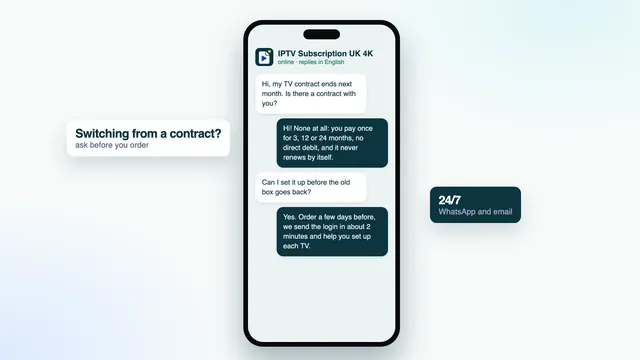
Leaving a pay-TV contract? Tell us where you are
Plenty of first messages come from people part-way through an 18- or 24-month contract. We cannot end it for you, but we can help you time the change so you are not paying twice for longer than needed.
Tell us the date your minimum term ends, if you know it, the number of TVs in use and what is plugged into them. We will suggest a plan length and check that your devices can run a player before you pay anything.
Our guide to switching from pay TV covers the notice to give, the box to send back and the first evening after the change.
Useful to know before you write
- Your contract’s end date
- Whether a notice period applies
- Any equipment to send back
- The TVs and devices you will keep
Hours
Open 24/7, bank holidays included
Someone reads the messages 24/7: late evenings, Sunday mornings and bank holidays too. Short questions get short replies. A setup problem takes a few back-and-forths, since each change is made on your TV and you report what happens.
Questions before ordering cost nothing. If your TV cannot run any player, or your evening speed is too low for the picture you want, we would rather say so now than after you have paid.
There is no phone line; written messages let you share photos and keep a record of every step. The setup page may answer your question before you need to ask it.
FAQ
Contact questions
Is there a number to ring?
We work only in writing. Everything is handled on WhatsApp or by email, 24/7, which also means you keep a record of each step.
Is it fine to ask questions before ordering?
Of course, and there is no charge for it. Say which TV or stick you have, what speed it shows in the evening and how many screens need to run together. The reply tells you whether a plan suits your home before any money changes hands.
My payment went through but no login has come. What should I do?
Check junk or promotions, and the WhatsApp chat that the Buy button opened. In your banking app, make sure the payment shows as approved rather than pending. If it is approved and the message is still missing, send the team the time of payment and they will look into it at once.
Can you cancel my pay-TV contract for me?
No; only the company you signed with can end it. What we can do is help with timing, the right plan length and getting your devices ready, so the move is smooth.
What do I send to ask for a refund?
An email to [email protected] inside 7 days of paying, with the payment date and a line on what failed. The rule covers two cases: no login ever came, or the login plays on none of your screens despite help from the team. A change of mind falls outside it.
What name will my bank statement show?
The payment firm sets that wording, not us. If you ask before paying, the team can tell you what it will say.
When you are ready, pick a Flex plan
Months, number of TVs and the one price are on every card. Tap Buy on the one you want and WhatsApp opens ready to send; unsure between two? Ask us which suits your household.