UK guide
IPTV subscription UK switching: leaving a pay-TV contract without a gap
This IPTV subscription UK switching guide is for homes moving from a satellite or cable TV contract to a plan paid once. Most of the work is paperwork you finish before anything changes on screen: the end date, the notice, the broadband that may share the contract, and the box that has to go back. The rest is one evening of setting up and a short talk with everyone who uses the remote.
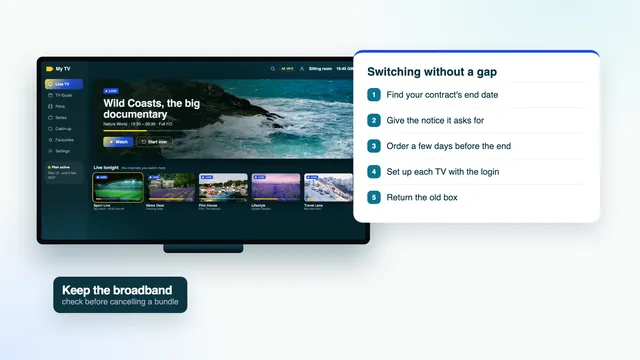
IPTV subscription UK switching in six steps
- Find the end date of the minimum term and the notice period, and get both in writing.
- Check the broadband: is it on the same contract, and what will it cost once the TV part has gone?
- Give notice for the TV only, timed to that end date, and keep the reference you are given.
- Order a plan three to five days before the TV service stops.
- Set up every screen on one evening, while the old box still plays.
- Post the box back before the return deadline and keep proof of postage.
Each step rests on the one before it. The IPTV subscription UK switching timeline below puts a moment on each; copy it into your calendar with the dates from your own contract.
| When | What you do | You are done when |
|---|---|---|
| Today | Look up the end of the minimum term and the notice period | Both dates are written down |
| Before the call | Ask what broadband costs without TV, and from when | You have that price in writing |
| Notice day | Give notice for the TV part, aimed at the end date | You hold a reference number and an email confirming it |
| 3 to 5 days before the TV stops | Order a Flex plan; the login follows in about 2 minutes | The login message is on your phone or in your inbox |
| The first evening | Install the player on each screen, type the login, build favourites | Every TV shows the guide at the right hour |
| Inside the return window | Send the TV box back with its remote and leads | You have a receipt for the parcel |
Still weighing the move itself? The IPTV subscription UK home page sets a typical contract against Flex 12 line by line, and what no contract means on a Flex plan covers the rest.
Find the date your contract ends
Satellite and cable TV contracts in the UK commonly set a minimum term of 18 months, sometimes 24. Leaving before that date normally costs money. After it, many contracts simply carry on month after month at whatever the price has become. So the first figure you need is the last day of the minimum term, and the second is how much notice you have to give.
Where the date is written
- The welcome email or letter from when the contract began, which states the minimum term.
- Your online account with the provider, usually under a heading about your plan or your contract.
- A recent bill: some put the end of the minimum term near the top, others only in the full statement.
Failing those, ask through the provider’s online chat or account messages, so the reply is saved.
If the term finished long ago, only the notice period stands between you and the end. If it finishes within weeks, time your notice so the TV stops on that day or just after.
Leaving before the minimum term ends
Leaving early usually brings a charge set by the contract, and the way it is worked out varies, so check your contract’s terms and ask the provider for the exact amount. Then set that figure against what the remaining months would cost if you stayed. Sometimes waiting is cheaper; sometimes the charge is smaller than three or four more bills. Your plan with us starts on the day you choose to order, whatever you decide.
Keep your broadband if it shares the contract
Plenty of homes pay one company for TV, broadband and sometimes a landline, all on one bill. The plan you are moving to runs over that broadband, so the line has to stay, at a speed that suits the screens in your home.
Questions to ask before you cancel anything
- Can the TV part end on its own, or does the whole bundle have to change?
- What will broadband cost each month without TV, and from which date?
- Does a broadband-only deal start a new minimum term, and how long is it?
- Does the landline, if you have one, carry on unchanged?
- Do the speed and the router stay exactly as they are?
Ask for the answers in writing. A bundle discount sometimes vanishes with the TV part, so broadband alone can cost more than its share of the old bill suggested.
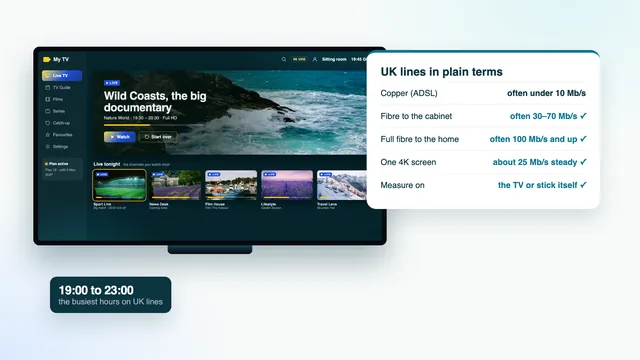
While you are thinking about the line, check its evening speed from the TV or stick you will watch on. A steady 5 Mb/s carries HD, 10 Mb/s Full HD and about 25 Mb/s each screen showing 4K; checking your broadband for each screen explains how to measure it.
Give notice for the TV part only
Give notice in the way your contract describes: by phone, in the online account, by chat or in writing. The notice period, often around a month, usually starts on the day you give it, so calling on the right day saves you paying for weeks you will not use. Check your contract’s terms for the exact length.
Have these ready when you call
- The account number and the name the account is held in.
- The day you want the TV service to stop.
- Your answer on the broadband: kept, and at what price.
Expect to be offered a reason to stay. Agents can often lower the price for customers on their way out. Decide before you dial what, if anything, would change your mind; if an offer tempts you, ask for it by email and give yourself a day to compare it properly.
Write down what was agreed
Before the call ends, ask for a reference number, the date the TV will stop, the amount and date of the final bill, and how the box is to be returned. Ask for all of it by email. When the email arrives, read it once looking only for the word broadband: it should not appear among the things that are ending, unless you meant it to.
Leave the direct debit in place until the final bill has been paid. Stopping it at your bank does not end a contract; it only makes the last payment late.
Overlap a few days, not a few weeks
Three to five days is plenty. With the login message arriving about 2 minutes after payment, at any hour, the overlap has nothing to do with delivery. It buys a quiet evening to set up while the old box still plays, a weekend with the new remote, and time to ask the team something before the night you need the answer.
| Plan | Length | Paid once | One day of the plan | Five days of overlap |
|---|---|---|---|---|
| Flex 3 | 3 months | £29 | 32p | £1.59 |
| Flex 12 | 12 months | £49 | 13p | 67p |
| Flex 12 Duo | 12 months | £79 | 22p | £1.08 |
| Flex 24 | 24 months | £89 | 12p | 61p |
Those days are cheap. On Flex 12, at £49 for 12 months, one day is worth about 13p, so five days of overlap use roughly 67p of the plan. Weeks of overlap make less sense, since you pay the contract and spend the plan at once. Ordering on the very day the box stops is the opposite mistake: you end up setting up a new player against the clock.
Pick the evening, then the day you order
Choose the evening you will set up first, ideally a weekday with nothing live that anyone minds missing, and order that afternoon or the day before. If the lounge and a bedroom will both be watching at once, compare the Flex plans by months and screens before ordering: only Flex 12 Duo lets two screens play together. The four Flex plans and their prices sit at the top of the home page.
Return the box, and only the box
Once the TV service ends, the provider usually sends a returns pack or a prepaid label with a deadline. Equipment that does not come back in time can be charged for; the amount and the deadline are in your contract’s terms or the returns email.
- The TV box and its remote control.
- The power lead, and any other lead the returns email lists.
- Any card or accessory that arrived with the box, if the email mentions it.
The broadband router stays if you keep broadband with the same company. If the returns email asks for it, ring before posting anything, because that usually means the broadband has been cancelled too. Photograph the parcel with its label and keep the proof of postage until the final bill shows nothing owed for equipment.
Recordings stay on the old box
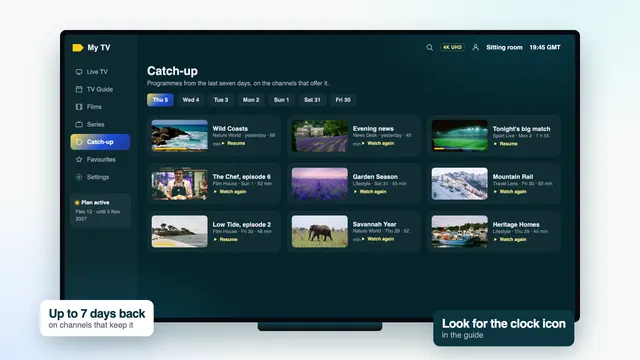
Anything you recorded lives on the box’s own hard drive and leaves with it. In the weeks before the return, watch what you want from the recordings list, or note the titles. Some will turn up in the film and series library, and a programme from the last seven days can often still be played afterwards on channels that keep an archive: how catch-up works on the new player shows where to find it.
Before you pack the box, take a photo of its favourites list, or of the channel numbers your household uses most. The new player sorts channels by country and category, so those numbers do not carry across, and the photo makes building favourites on the first evening much quicker.
The first evening with the new player
Start with the main TV, leaving the old box connected to another HDMI socket. If something takes longer than planned, the household still has television that night.
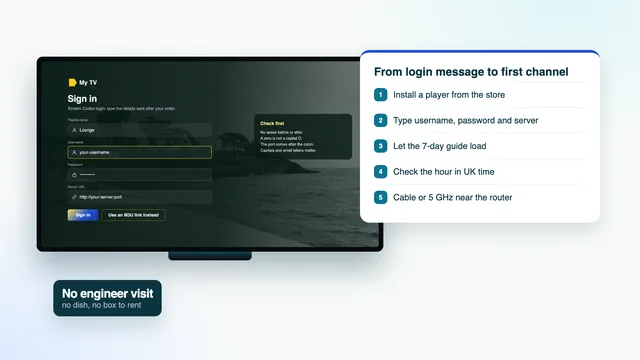
- Decide what runs the player on each screen: the TV’s own app store, a Fire TV stick, an Android box or an Apple TV. The setup guide for each screen lists the players that suit each one.
- Connect it to the network: a cable if the router is close, otherwise 5 GHz Wi-Fi.
- Install the player from that device’s store and type the username, password and server address from your login message. Use the M3U link only in players that ask for one.
- Let the channels and the listings load. The first load is the slowest; leave it to finish.
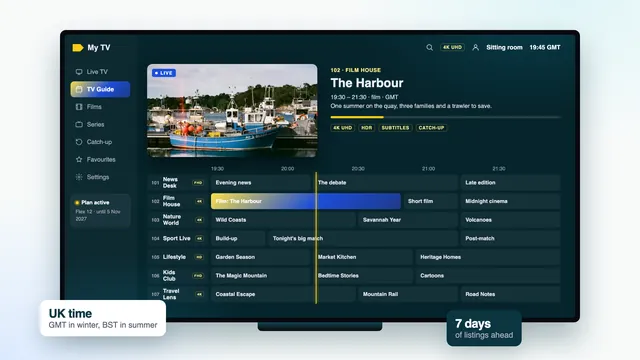
- Check the clock in the guide against a programme you know is on right now. If the listings are an hour out, the TV guide page explains the time offset.
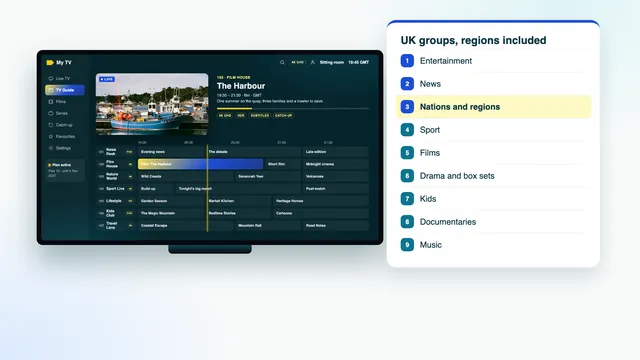
- Build favourites from your photo of the old box, beginning with the British groups that open the list and the nations and regions group for local news.
- Play one thing from catch-up and one from the library, so you know both work before anyone else asks.
Then repeat on the second screen, if there is one. On a one-screen plan the player can sit on more than one device, but only one plays at a time; with Duo, two can play together.
That is IPTV subscription UK switching done on the technical side. What remains is people.
What to tell the family
Whoever set things up knows where everything is. Everyone else only knows the old box has gone. Ten minutes on the points below saves a week of questions, and a note stuck beside the TV does the rest.
- Which input and which remote. The player may sit on a different HDMI input, and the old remote goes back with the box.
- There is no recordings list. Catch-up covers the past week on channels that keep an archive; the library covers films and series.
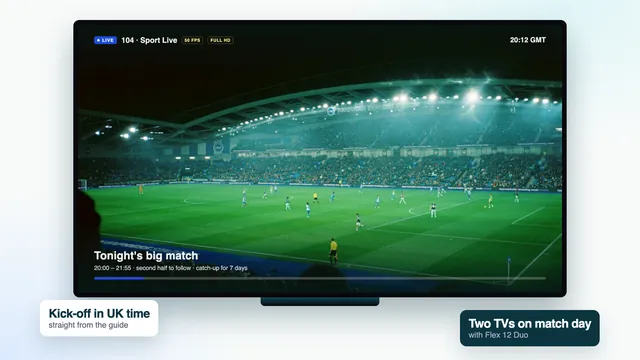
- Live sport runs slightly behind. A stream can trail the broadcast by a few seconds or by up to half a minute, so whoever follows the scores on a phone may see a goal first.
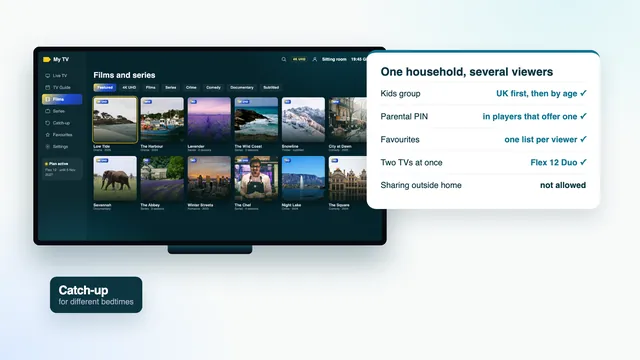
- Children’s settings. Players can lock groups behind a PIN; kids groups, PINs and favourites for a family walks through it.
- When a channel stalls. Go back, open it again, and if that fails, tell whoever looks after the login instead of restarting the router at random.
- The end date. It is in the login message. Nothing renews by itself, so put a reminder in the family calendar a week before.
Help is in English on WhatsApp and email, 24/7, and questions about switching are welcome before you order. Write to the team with your contract’s end date and the screens you have, and you will get back a suggestion for the plan and the player.
Frequently asked questions
Should I give notice first or order the plan first?
Give notice first, so the date the TV stops is fixed. Then order three to five days before that date. With the login on its way within about 2 minutes, there is no reason to order weeks ahead.
Can I keep my broadband and drop only the TV?
Often yes, but the broadband price may change once the bundle goes, and a broadband-only deal may come with its own minimum term. Ask for the new price in writing and check your contract’s terms before you agree.
Will the recordings on my old box come with me?
No. They are stored on the box and leave with it. Watch what matters before the return date; the past week of channels with an archive is in catch-up, and many films and series are in the library.
Which day of the week suits IPTV subscription UK switching?
A weekday evening with nothing live that anyone in the house cares about. Avoid the night of a big match or the last day the old box works, when setting up turns into a race.
What if nothing plays on the first evening?
Message the team, 24/7, and the old box covers you in the meantime. If, after the team has helped, still not one screen in the house gives a picture, a refund can be asked for within 7 days of payment.
Is there anything to cancel when the Flex plan ends?
No. Nothing is taken from your account and nothing renews; the plan simply stops on the date written in your login message. To carry on, you place a new order and type the new login into the apps you already have.