UK guide
IPTV subscription UK catch-up: the past week, ready to play
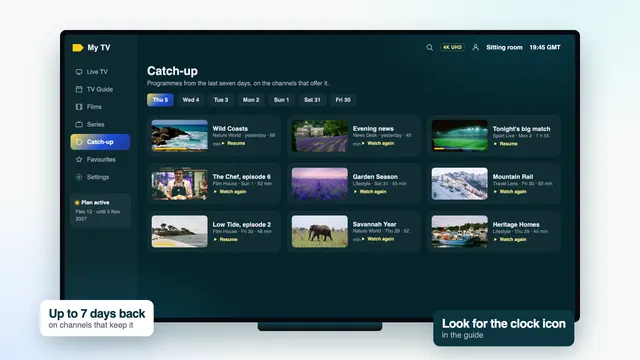
IPTV subscription UK catch-up plays programmes that have already been shown, on the channels that keep an archive, usually as far back as a week. You reach it from the guide or from the player’s catch-up menu, choose the day and the programme, and it plays from the opening titles with a progress bar, like a film. This page covers where the icon appears, what the player needs, why some channels have no archive and how to move around inside a programme.
How IPTV subscription UK catch-up works
On channels with catch-up, the stream is stored on the server for a set number of days as it airs. When you choose a past programme, the player asks for that channel from that start time, and the server sends the stored stream as though you had pressed play on a recording. Nothing is saved on your TV, so the space left on the device makes no difference.
The listings tell the player where each programme begins and ends, which is why catch-up and the guide work as a pair. A guide set an hour wrong sends you to the wrong programme, and a channel with no listings gives you nothing to choose, even if its archive exists.
| You want to | Where to go | What happens |
|---|---|---|
| Watch last night’s programme | The guide, scrolled back on that channel | It plays from the opening titles |
| Start something that began 20 minutes ago | The current block on that channel | Many players offer to start it from the beginning |
| Browse a whole day on one channel | The player’s catch-up menu | A list of that day’s programmes |
| Find something from three weeks ago | The film and series library | The archive only reaches back about a week |
| Keep a programme for later | Watch it within the week | It leaves the archive after that |
The catch-up icon in the guide
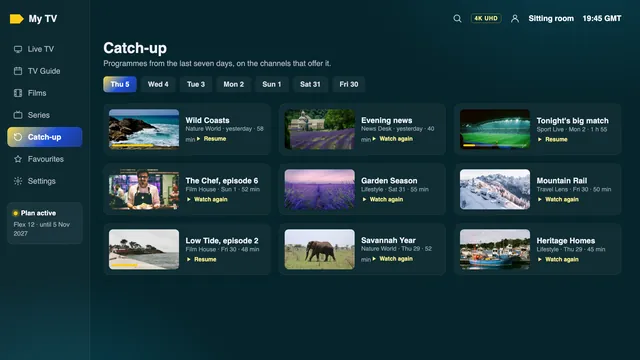
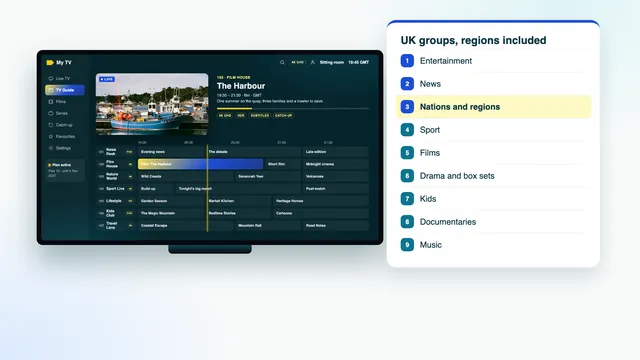
Channels with an archive carry a small mark in the channel list and in the guide, usually a clock with an arrow turning backwards, sometimes the word catch-up or a coloured edge. The look depends on the player, not on the channel.
In the grid, scroll left past the current time. On marked channels the past programmes stay bright and selectable; on the others they are dimmed, or the grid will not scroll back at all. Some players also put a tiny mark on each past programme whose recording is ready to play.
If the same channels come up every day, put them in favourites and open the guide on that group, so every mark you care about sits on one screen. Loading and reading the TV guide covers favourites, refreshing and the clock.
The player’s catch-up menu
Many players also have a catch-up entry on the home screen. It lists only the channels that keep an archive, which makes it a quicker way to browse than the full grid.
How common players handle it
- IPTV Smarters Pro: a catch-up entry on the home screen that follows the steps above, plus the mark on channels in the live list.
- TiviMate: works from the guide grid; scroll back on a marked channel and select the programme. Check the store listing to see which features its free version includes.
- Kodi with the PVR IPTV Simple Client: catch-up has to be switched on in the add-on’s settings, after which past programmes in the guide become playable.
- VLC: plays live channels from the M3U link but offers no catch-up.
Players set up through a website with your TV’s MAC address differ a lot: some show catch-up, some do not. If yours does not, ask the team which player suits your TV, with its make and model.
What your player needs for catch-up
IPTV subscription UK catch-up depends on five things being in place on your side. None of them costs anything, and most are set the first evening without you noticing.
| Needed | Why | How to check |
|---|---|---|
| The Xtream login | It tells the player which channels keep an archive, and for how long | The login screen shows a username and server address, not just a link |
| A player that supports catch-up | The archive sits on the server, but the player has to ask for it | A catch-up entry on the home screen, or marks in the guide |
| The listings loaded | The player picks programmes by their listed start and end | Past programmes show titles, not « No information » |
| The right clock and time zone | A wrong clock asks for the wrong hour | The current programme in the guide matches the screen |
| A steady connection | Every jump in the programme asks for a new piece of stream | Live channels play without pausing at the same hour |
M3U playlists can carry catch-up too, through extra tags on each channel, but fewer players read them. If you set up a player with the M3U link and see no marks, sign in again with the Xtream details from the same message before trying anything else.
Keep the player updated from its store. Catch-up behaviour changes between versions, and an old copy installed from a file passed around online is a common reason for a missing menu. Choosing and setting up a player for each screen lists the players that suit each device.
Why some channels do not keep catch-up
Catch-up belongs to each channel’s source, not to your plan. Every plan carries the same channels and the same archive; where a channel has none, nobody on any plan has it.
- The source has no archive. Plenty of channels, particularly from abroad, are only ever relayed live.
- Event channels. Channels that open for one match or one day of a tournament, then close, leave no lasting archive behind.
- Storage. Keeping a week of video for every channel takes a vast amount of space, which is one reason archives are generally kept for a selection of channels rather than all of them.
- A replaced source. When a channel’s feed changes, its archive may restart from that day, so for a while it reaches back only a few days.
Gaps inside the week
Now and then a marked channel has a hole: one programme that will not play while those either side of it do. That is usually a break in the source while it aired, and it cannot be filled afterwards. It is still worth telling the team if the same channel shows gaps every day, because that points to a feed in need of replacing.
Programmes also start a few minutes early or run past their listed end. Live sport overrunning is the usual case: the next programme’s catch-up then opens in the middle of the overrun. Skip forward, or open the previous programme and go to its end.
Seeking within a programme
A catch-up programme behaves much like a film from the library: a progress bar runs from its start to its end, and you can pause, go back and go forward. Seeking inside IPTV subscription UK catch-up works the same on every plan.
- Pause holds the picture. After a long pause some players return to the channel list; reopen the programme and carry on from where you stopped, or from the start.
- Skip back and forward in short steps with left and right on the remote; holding the button jumps further in most players.
- Move the bar to a time and press OK. Each jump asks the server for a new piece of the stream, so a second or two of waiting after each one is normal.
- Reach the end, and depending on the player it stops, goes back to the guide or runs on into the next programme.
Starting a programme that is still on air
Tuned in twenty minutes late? On a marked channel, select the programme airing now and choose to watch it from the start, if your player offers that. You are then watching behind live: skip forward to close the gap, or return to the live channel at any point.
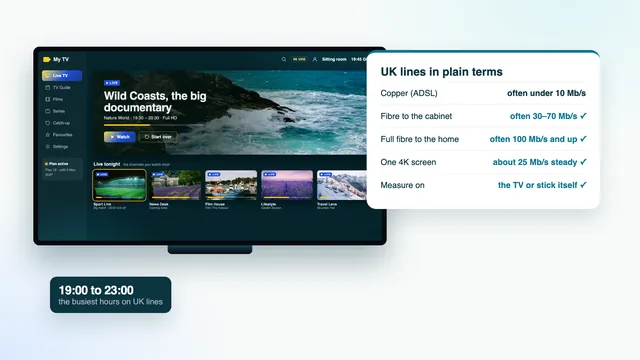
Seeking leans on the connection harder than anything else in catch-up. If jumps are slow only in the evening, the line is busy; plugging the TV into the router, or moving it onto the 5 GHz network, makes a visible difference. Evening speeds on UK broadband goes into the detail.
Catch-up, the library and old recordings
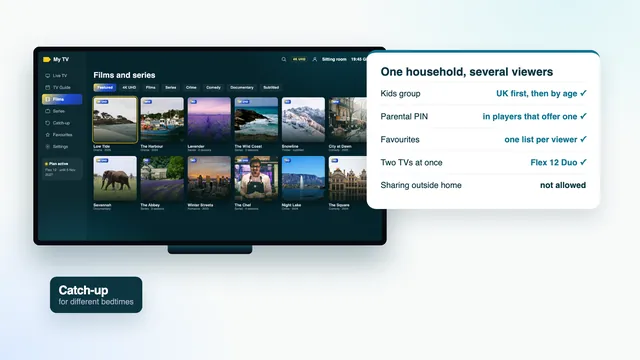
Catch-up and the film and series library cover different ground. Catch-up is what was shown on the channels in roughly the past week. The library holds 120,000 films and series that stay put, mostly in English and others with subtitles, so a series you missed months ago is more likely to be there than in catch-up.
If you are leaving a pay-TV box with a recordings list, those recordings stay with the box. Switching from a pay-TV box, step by step explains what to watch before it goes back. Afterwards, catch-up and the library together cover most of what a recordings list was for, apart from programmes older than the archive that the library does not hold.
IPTV subscription UK catch-up comes with every plan at no extra cost. A catch-up programme uses a screen just like a live channel: one at a time on Flex 3, Flex 12 and Flex 24, two at once on Flex 12 Duo. Compare the four Flex plans, read how the Flex plans differ in months and screens, or start from IPTV subscription UK plans paid once on the home page.
For weekend sport, catch-up is the safety net when a match clashes with something else; sport on a plan paid once covers kick-off times and two TVs on match day.
When catch-up will not play
| What happens | Likely cause | Try this |
|---|---|---|
| No catch-up marks anywhere | M3U login, or a player without catch-up | Sign in with the Xtream details, or change player |
| Marks shown, but nothing plays | An old version of the player | Update it from the device’s store |
| The wrong programme plays | Clock, time zone or EPG offset | Fix the device time first, then the offset |
| Plays, then stalls after a jump | Busy Wi-Fi in the evening | Move nearer the router or use a cable |
| One programme missing in the week | A break in the source while it aired | Tell the team if it happens daily |
| The day you want is not listed | Older than the channel’s archive | Look for the title in the library |
The team answers 24/7 by WhatsApp or email, in English. Contact the team with those details, and say which player and device you use.
Frequently asked questions
How far back does IPTV subscription UK catch-up go?
Usually about seven days on the channels that keep an archive. A few reach back less for a while, for example after their source has changed. Anything older is worth looking for in the film and series library.
Does catch-up cost extra?
No. It comes with every plan, from Flex 3 to Flex 24, with the same channels and the same archive. There is nothing to add to your order.
Why can’t I find catch-up in my player?
Usually the player was set up with the M3U link, or it does not support catch-up. Use the Xtream entry from your login message instead; if the marks still do not appear, ask the team which player suits your device.
Why does a programme start a few minutes in, or inside the one before?
Either the broadcast ran late, which is common after live sport, or the guide’s time is off. Skip back or forward for the first; check the device’s time zone and the EPG time offset for the second.
Can two TVs watch catch-up at the same time?
Yes, on Flex 12 Duo, where two devices may play together; each catch-up programme counts as one. On the one-screen plans, only one device can play at a time, whether live or catch-up.
Can I keep a catch-up programme to watch next month?
No. Programmes leave the archive once they are older than the channel’s window, usually a week. Films and series you want to come back to are in the library instead.